AI interprets. Your policy decides.
AI is safe near money only if it cannot move it. Chargeless keeps the model apart from every money action.
The AI assistant
- Understands what the customer is asking for
- Clarifies which payment and why
- Proposes a refund or cancellation
- Never contacts a payment provider
- Never decides who is eligible
The Chargeless platform
- Applies your published policy and limits
- Reads the refundable amount from the ledger
- Records every action before executing it
- Sends each action with one key, so a retry never starts a new one
- Stores the policy version and the data behind each decision
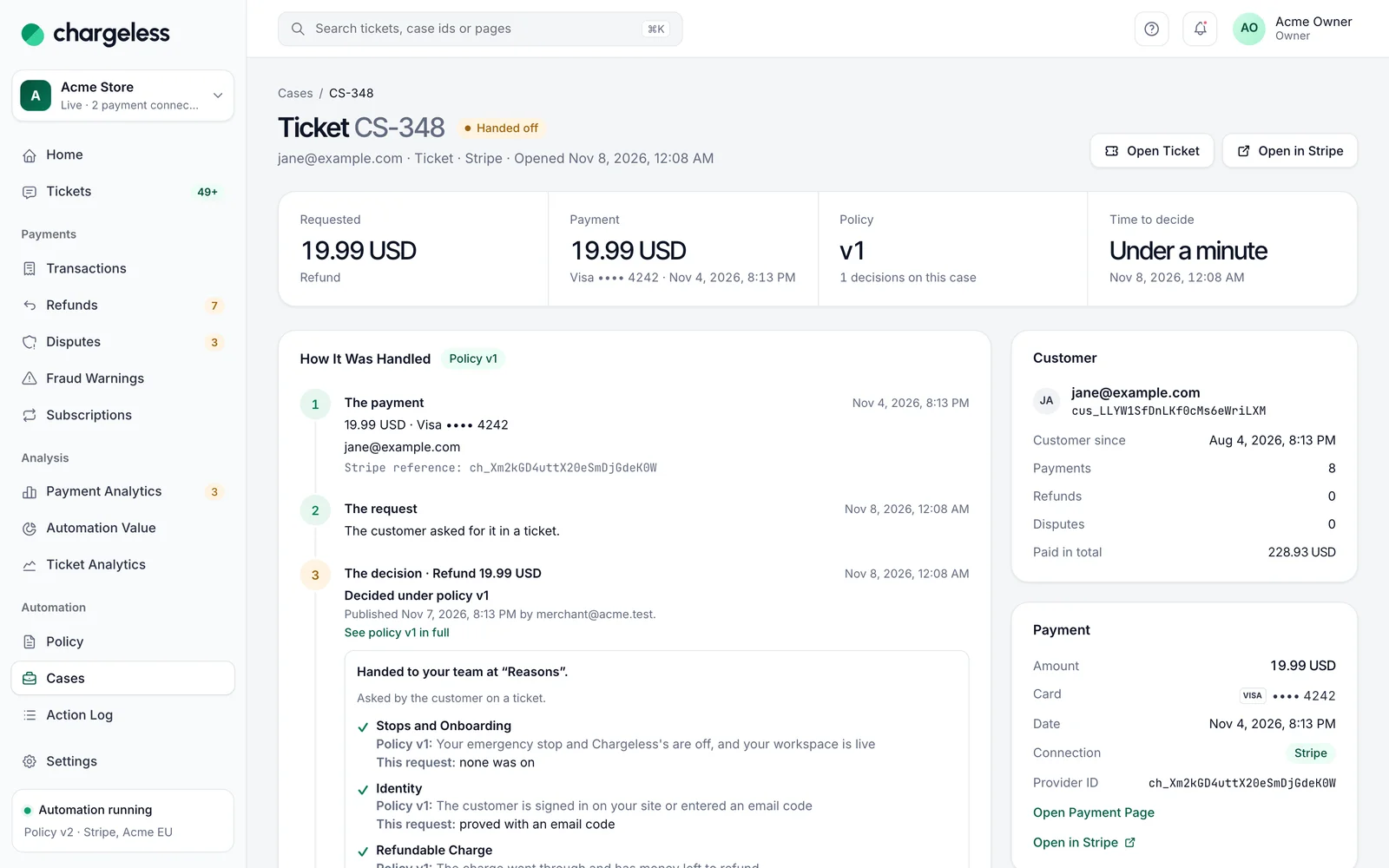
See exactly why every case ended the way it did.
Who asked for what, which policy version applied, every check with its data, and the provider’s result.
- Version and publisher
- Data stored per decision
- Replayable in the simulator
Limits you can adjust but never switch off.
Frequency limits, a circuit breaker and emergency stops apply to every money action, automated or by your team.
- An emergency stop per workspace
- Frequency limits per customer
- Not even the owner overrides
Safety limits
Emergency stop
Stops every money action in the workspace
Refund frequency per customer
3 refunds in 30 days
Refund volume per workspace
€2,000 per hour
Circuit breaker
Opens on an unusual refund rate
No card numbers, anywhere.
Card numbers and codes typed into a chat or email are masked before anything sees them. Only last four, brand and references are kept.
- Masked before the AI
- Last four and brand only
- Personal data out of logs
Assistant · permissions
Allowed
Read the customer’s request
Ask a clarifying question
Draft the reply in your tone
Locked
Call a payment provider
Write to your records
Decide an outcome
Frequently asked questions
See every question merchants ask, or ask us when you request access.
All questionsRequest early access01Can the AI issue a refund by mistake?
No. The AI only proposes. The platform decides against your policy, the refundable amount and the limits, and executes once.
02What prevents a duplicate refund?
Each request has one unique reference, so a retry never refunds twice. The refundable amount counts refunds already approved or pending.
03Who can access the records?
Members of your workspace with the appropriate role. Every policy change, refund and settings update appears in your audit trail.
Related
Start with low limits. Raise them when the record shows it works.
Start in test mode, run your policy against your own history, and go live when the results meet your standards.
- 1A test workspace on your provider’s test mode
- 2Your past requests replayed against your policy
- 3Live with low limits, raised as the record allows