Your team handles only the exceptions.
Requests outside your policy reach your team as tickets, with the conversation, the reason and the payment.
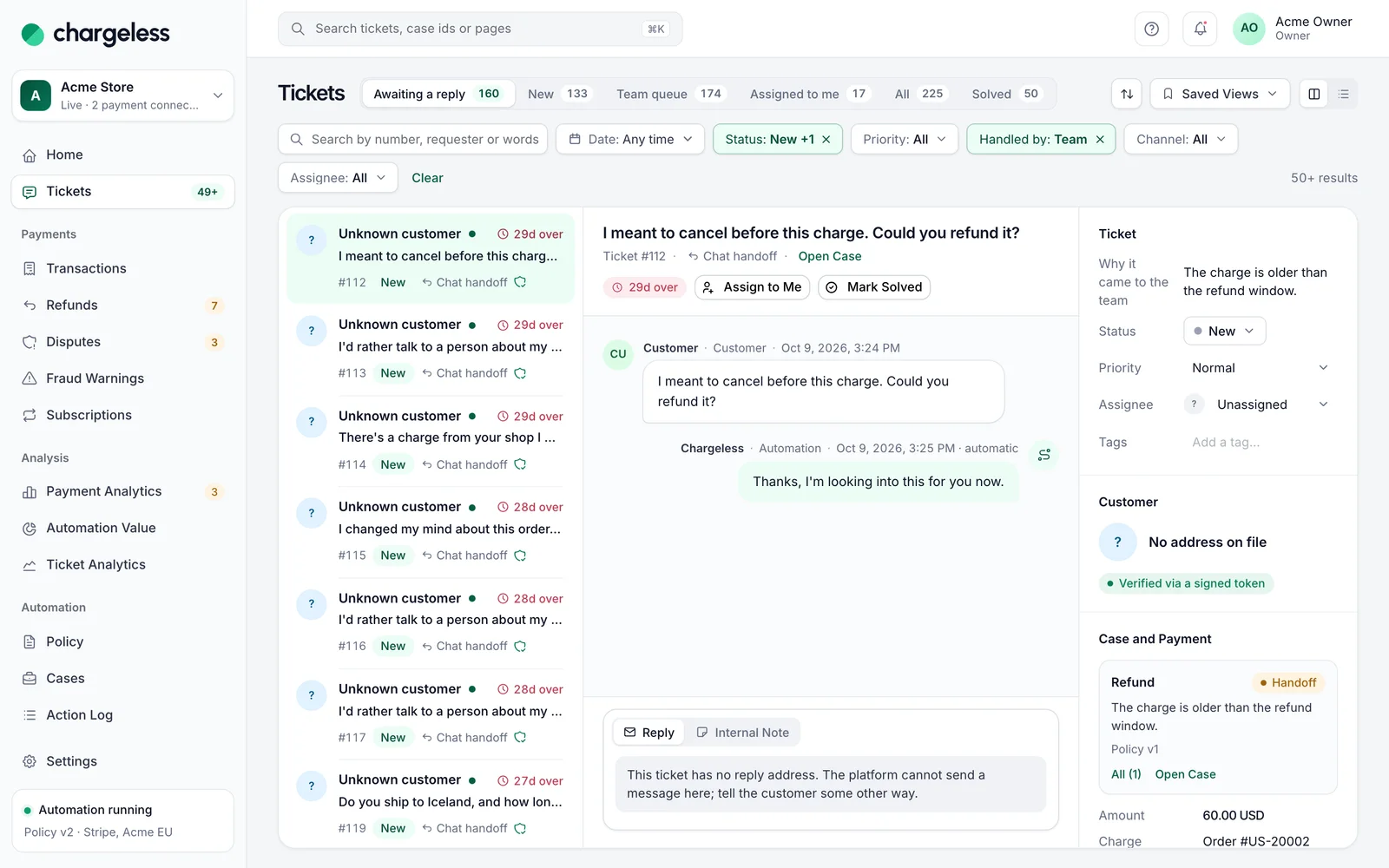
From the handoff to the last reply.
Queue & views
A queue built for payment requests: ready-made views, a split pane, assignment, saved and shared views, and macros that never send or move money.
Channels
Chat handoffs, widget messages, web forms, email inboxes and helpdesk tickets in one queue. The automation answers first and stops once your team has a ticket.
Response targets
Set first response, next response and resolution targets per priority. A missed target notifies your team in the panel and by email; it never changes a ticket.
Staff actions & suggestions
Refund or cancel from a ticket through the same policy decision, go beyond the policy with a recorded override, and ask for AI-drafted replies you review.
Ticket analytics
How tickets arrive and end, what the automation closed, what reached your team, response targets met, why tickets were handed off and the queue right now.
Tickets that arrive with the full context.
Every ticket says why it came: past the window, over the limit, or a request for a person. Conversation and case attached.
- The reason in plain words
- Masked conversation and payment
- The customer knows what’s next
Refund asked 45 days after purchase
Outside the 30-day refund window
Transcript · 6 messages
Reply by email, act within the policy.
Reply by email from your inbox; answers thread back. Refunds from a ticket follow your policy, with your name on them.
- Internal notes
- Refund or cancel in place
- Exceptions need a code
Ticket #1182 · Refund €240 headphones
The headphones stopped working after six weeks. Can I get a refund?
Sorry about that. I have refunded the full amount to your card.
Second factor confirmed · recorded
Frequently asked questions
See every question merchants ask, or ask us when you request access.
All questionsRequest early access01Where can handoffs be sent?
To the team queue in the panel, to your helpdesk (Zendesk), to your own system through a signed webhook, or to the queue and a webhook together.
02Does the automation keep replying after a handoff?
No. Once a ticket is with your team, the automation never replies on it again, apart from one acknowledgement to the customer.
03Do response targets take any action on their own?
No. A missed target notifies your team in the panel and by email. It never changes or acts on a ticket.
Start with low limits. Raise them when the record shows it works.
Start in test mode, run your policy against your own history, and go live when the results meet your standards.
- 1A test workspace on your provider’s test mode
- 2Your past requests replayed against your policy
- 3Live with low limits, raised as the record allows