A queue that shows what needs a reply first.
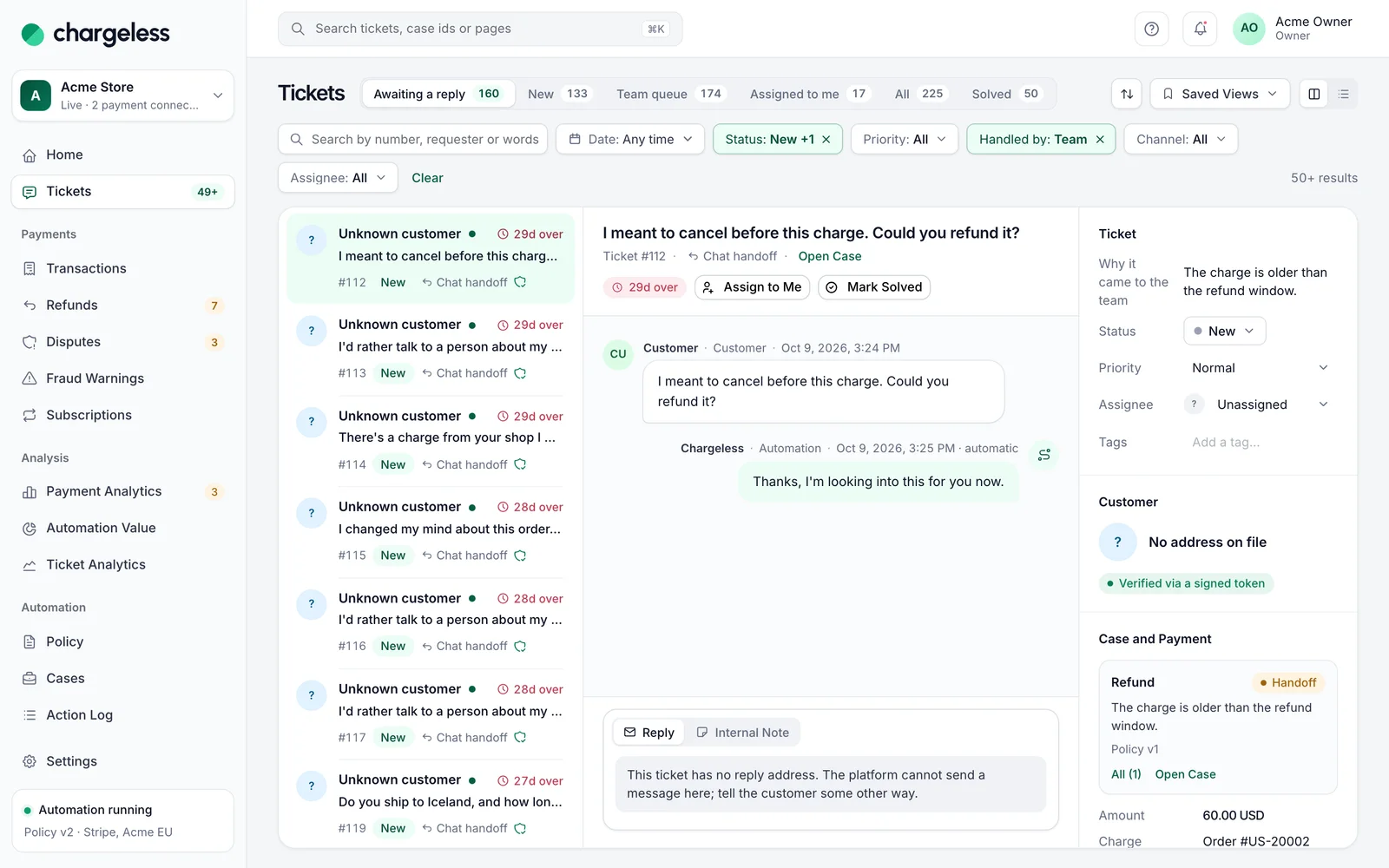
Your team works handed-over requests here: awaiting a reply first, the conversation and the payment side by side.
The queue and the ticket, side by side
Queue, conversation and customer in one view on a wide screen. Each ticket shows its channel, status, response target and who handles it: Automation, Team or External.
- Split pane from 1024 px
- Automation, Team or External
- Notified when a ticket arrives
Ready-made views and your own
Awaiting a reply, New, Team queue, Assigned to me and more. Filter, then save a view for yourself or share it with the team.
- Ready-made views
- Saved views, private or shared
- Six statuses, four priorities
Needs a reply
| Subject | Why it came to you | Channel | Due |
|---|---|---|---|
| Refund after 45 days | Outside window | Chat | 2 h |
| Charged in two currencies | Needs a conversion | 5 h | |
| Talk to a person please | Requested a person | Zendesk | 7 h |
| Refund €240 headphones | Over auto limit | Chat | 1 d |
Assignment, notes and macros
Assign, reply by email or leave an internal note from one composer. Macros insert a saved reply with placeholders; they never send or move money.
- Replies by email
- Internal notes
- Macros never send
Ticket #1182 · Refund €240 headphones
The headphones stopped working after six weeks. Can I get a refund?
Sorry about that. I have refunded the full amount to your card.
Second factor confirmed · recorded
More in Tickets
Start with low limits. Raise them when the record shows it works.
Start in test mode, run your policy against your own history, and go live when the results meet your standards.
- 1A test workspace on your provider’s test mode
- 2Your past requests replayed against your policy
- 3Live with low limits, raised as the record allows