Tickets
Response targets that keep the team on time.
Set reply and resolution targets per priority. Chargeless tells the right people when one is missed, and never touches the ticket.
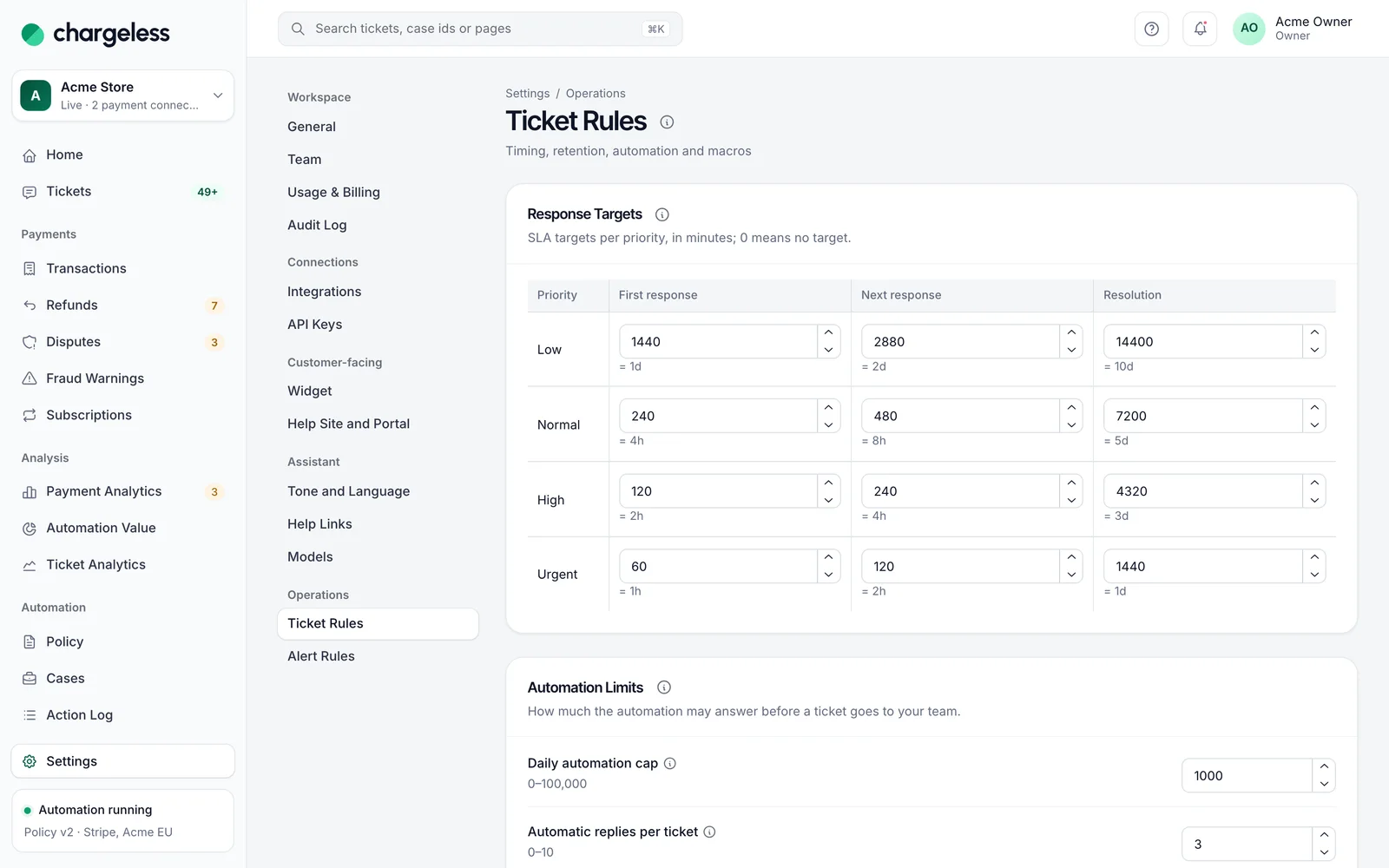
Three targets per priority
First response, next response and resolution, in minutes, per priority. The clock runs only while your team has the ticket.
- First, next, resolution
- Minutes per priority
- Only while the team has it
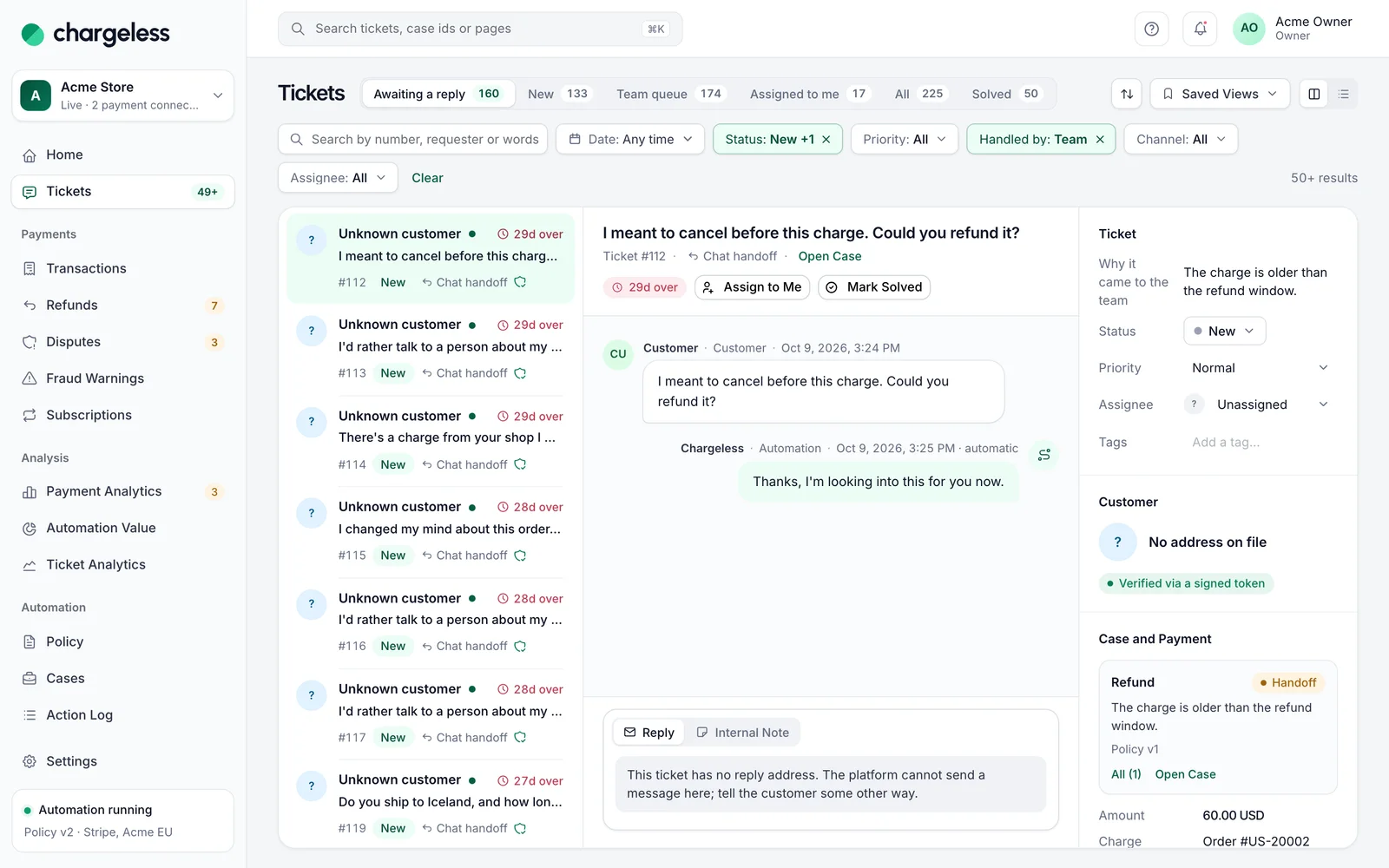
Breaches notify, never act
A missed target notifies the assignee, or owners and admins, in the panel and by email. It never reassigns, closes or replies.
- Due and overdue in the queue
- Panel and email notices
- No automatic changes
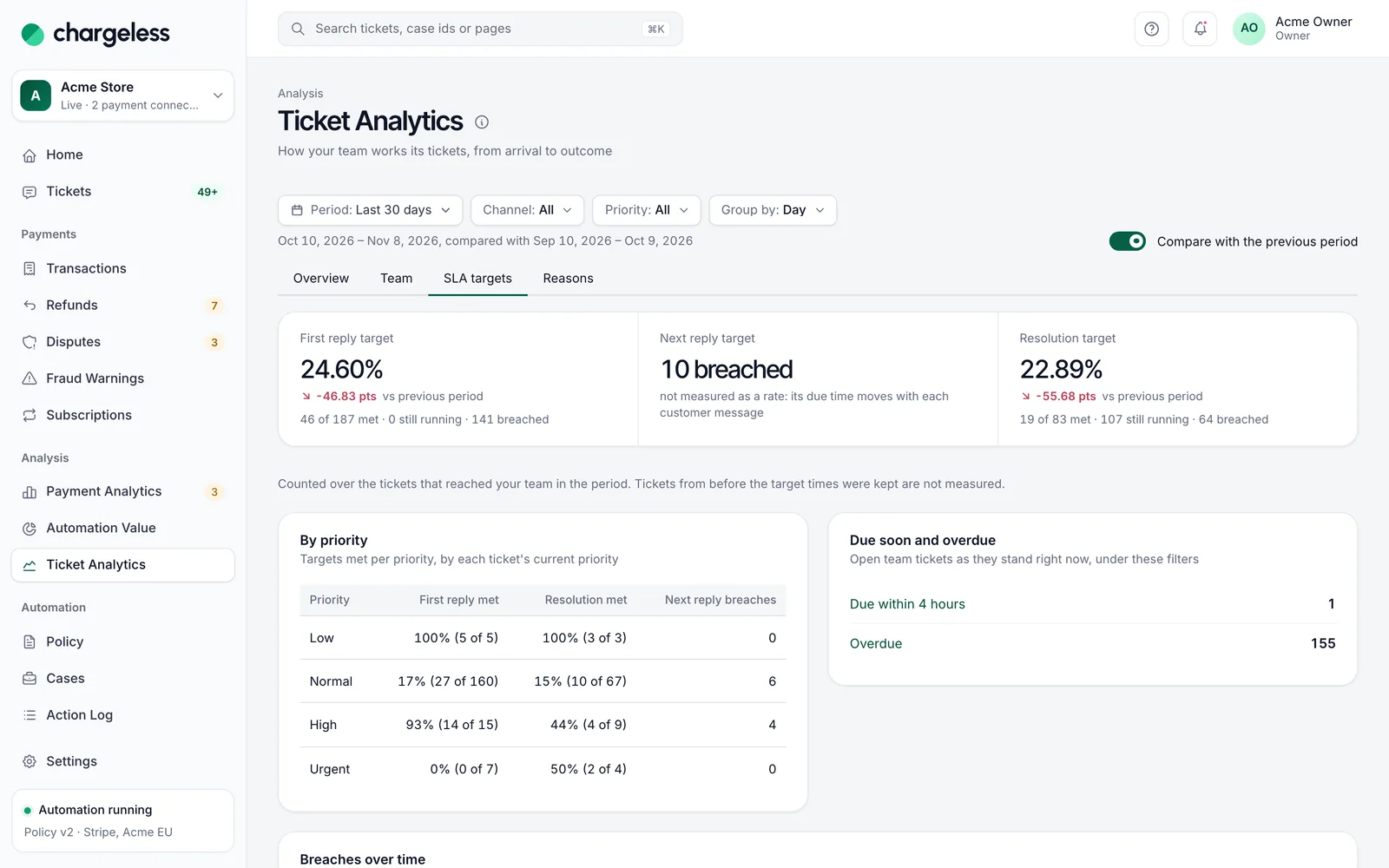
Targets met, over time
Ticket analytics shows targets met per priority, breaches over time, and what is due or overdue right now.
- Met rates per priority
- Due soon and overdue
- Breaches by day or week
More in Tickets
Start with low limits. Raise them when the record shows it works.
Start in test mode, run your policy against your own history, and go live when the results meet your standards.
- 1A test workspace on your provider’s test mode
- 2Your past requests replayed against your policy
- 3Live with low limits, raised as the record allows