See where payments fail, and when it changes.
Every card attempt by country, brand, issuer and BIN, your card-network standing, and alerts when a rate moves.
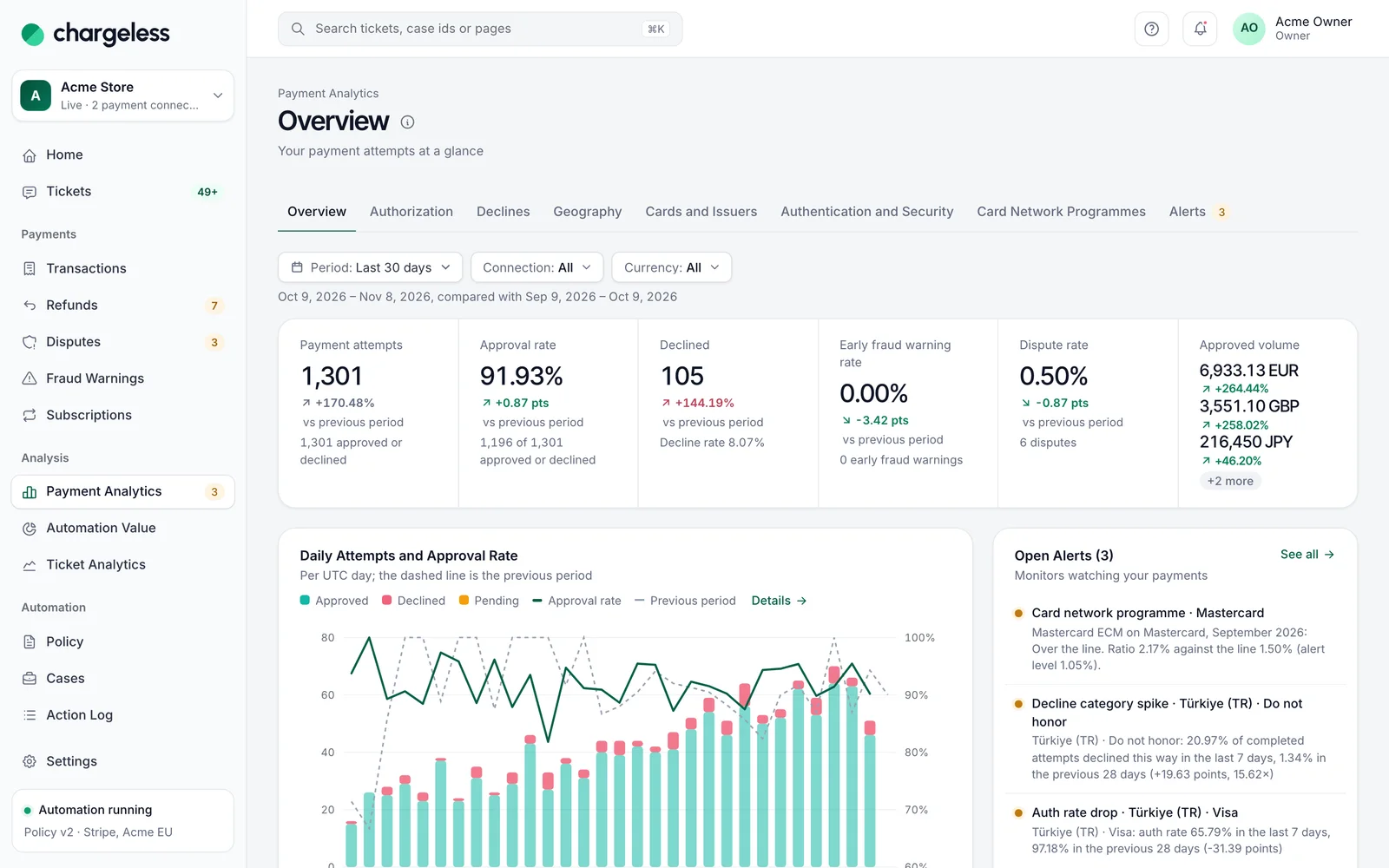
Five views of the same payments.
Approvals & declines
See how many card payments are approved, why the rest are declined, and what changed against the previous period, then filter every report with one click.
Geography & cards
Break card payment attempts down by issuing country, card brand, card type, issuer, BIN and currency, with approval, fraud warning and dispute rates for each group.
Card network programmes
Estimate where each payment connection stands against Visa’s and Mastercard’s fraud and dispute monitoring programmes, this month and over 13 months.
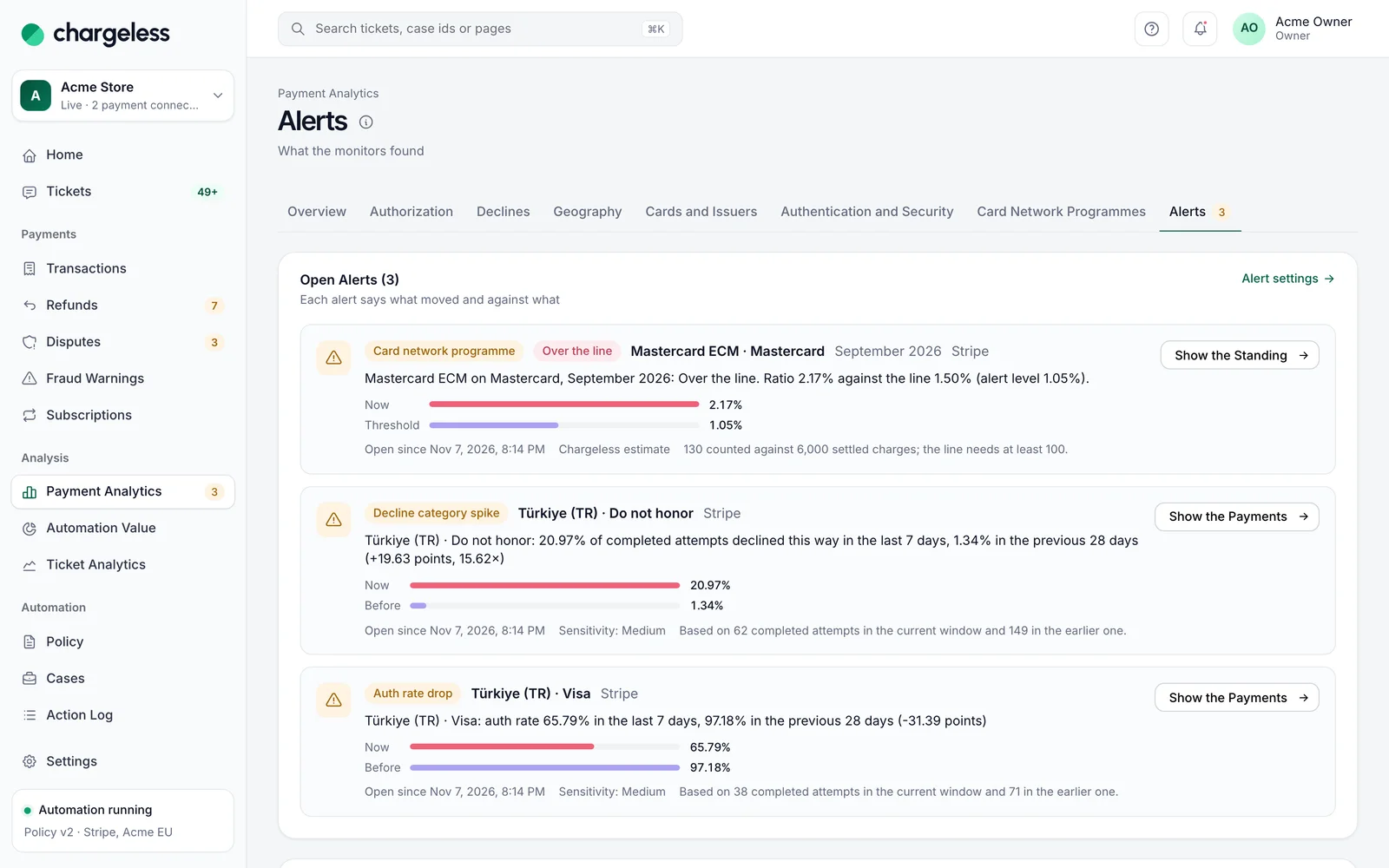
Payment alerts
Four monitors check your payments every five minutes and alert in the panel, by email and through signed webhooks when a rate leaves its normal range.
Payment attempts
Every card payment attempt from your payment provider or your own system, with 13 months of history imported at go-live. Analytics only, never a refund decision.
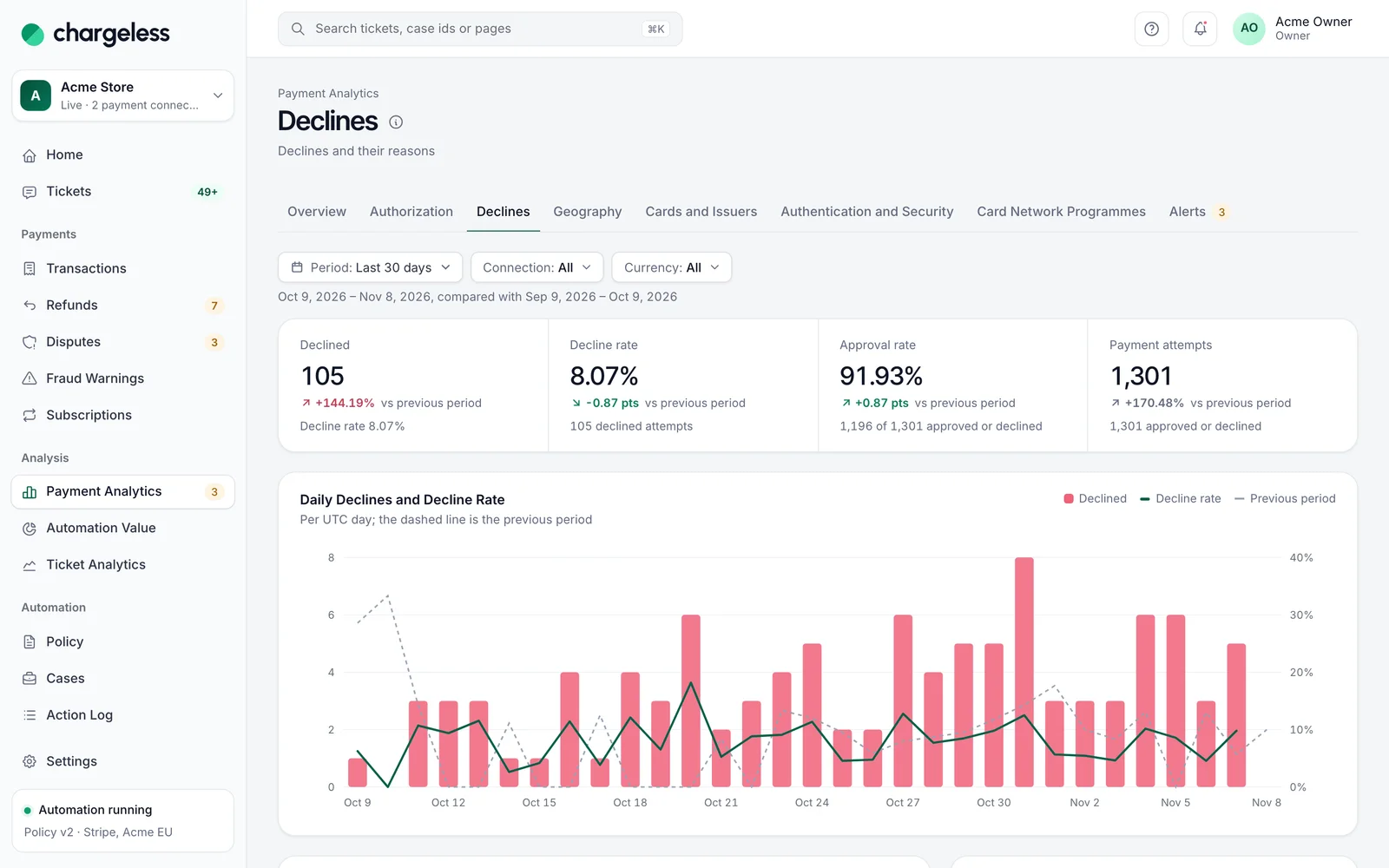
Declines split by what explains them.
Pick a country, brand or decline category and every report follows. Each group is compared with the previous period.
- Country, brand, issuer, BIN
- Twelve decline categories
- Volume per currency
Analytics that never touch a refund decision.
Attempts are for analytics only. The policy never reads them, alerts only notify, and no card number is kept.
- Owners, admins, analysts
- Alerts never change anything
- Programme figures are estimates
Frequently asked questions
See every question merchants ask, or ask us when you request access.
All questionsRequest early access01Does payment data influence refund decisions?
No. Payment attempts are stored for analytics only and are never used in a policy decision.
02Do you store card numbers for this analysis?
No. Only the BIN cut to its first six or eight digits, the last four digits, the card brand and your provider’s identifiers.
03Does it work with my own payment system?
Yes, if your system reports payment attempts through the optional part of the contract. The panel says clearly when it does not.
Start with low limits. Raise them when the record shows it works.
Start in test mode, run your policy against your own history, and go live when the results meet your standards.
- 1A test workspace on your provider’s test mode
- 2Your past requests replayed against your policy
- 3Live with low limits, raised as the record allows